Stabilizing Tool Selection in Production LLM Agents: Reducing Flaky Action Choices Across Prompt, Schema, and Model Changes
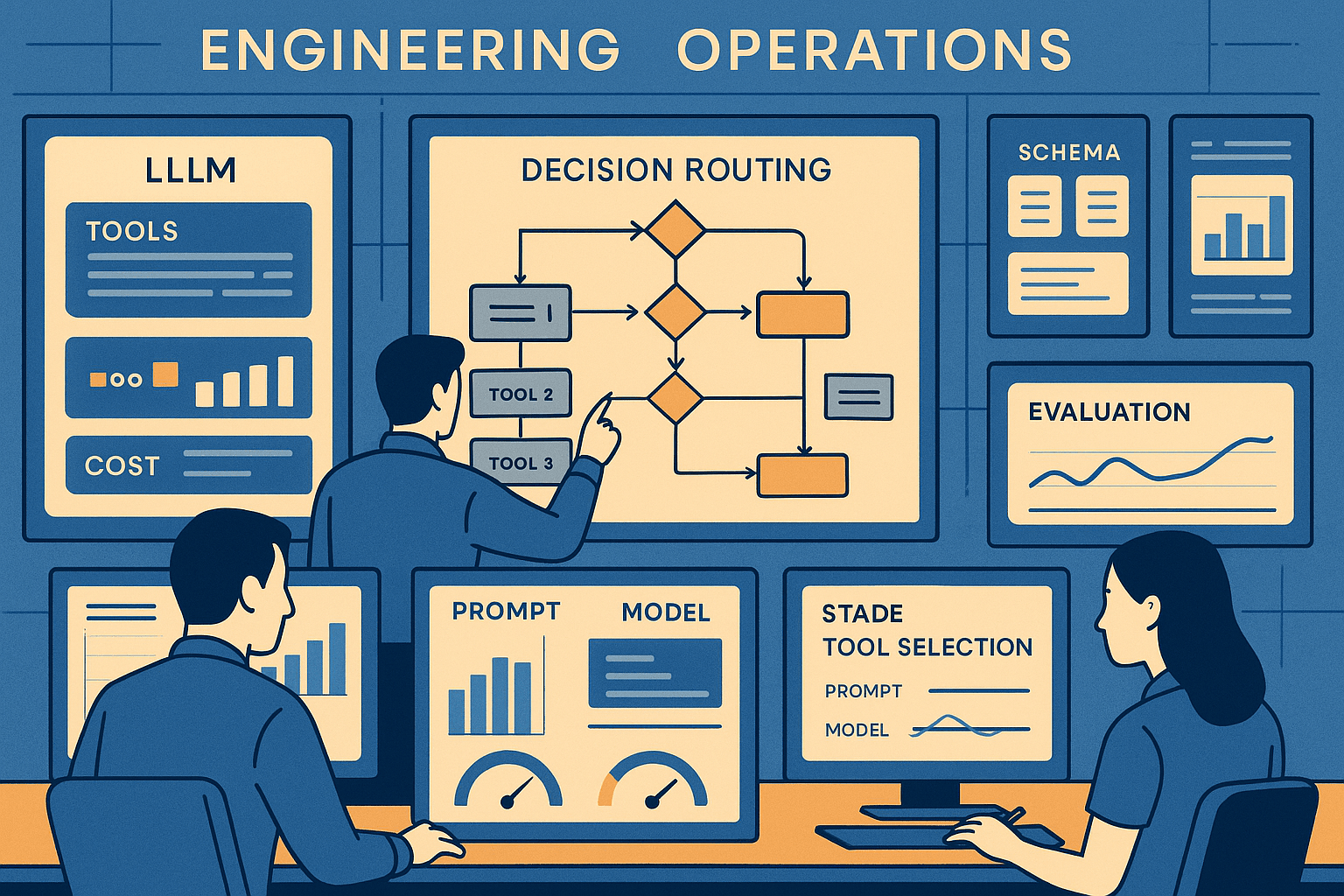
A team ships a capable internal support agent. In staging, it looks great: ask for account status, it calls get_account; ask for refunds, it calls create_refund_case; ask for order history, it calls list_orders. Then production starts doing what production always does: it changes.
A prompt tweak adds a helpful instruction about “resolving customer issues end-to-end.” A schema revision renames order_id to purchase_id in one tool but not another. The model gets upgraded from one frontier release to the next because latency improved by 20% and cost dropped by 30%. The tool catalog grows from 12 functions to 45, including a new get_order_details_v2, a bulk lookup endpoint, and a general-purpose search_customer_events tool that can answer half the same questions as the existing tools.
Suddenly the agent becomes flaky in a way that’s hard to explain to non-LLM stakeholders. It still often gets the task done, but its action choice starts oscillating. Two semantically equivalent requests trigger different tools. A harmless prompt edit causes the model to overuse the new generic search function. The upgraded model starts skipping a narrow but correct tool in favor of a broad one that “sounds safer.” Some requests now bounce between tools in multi-step loops because the first tool selected was plausible but not discriminative enough.
This is one of the most common production failures in LLM agents, and it is often misdiagnosed. Teams blame the model, or overfocus on prompt wording, or start adding increasingly specific tool descriptions by hand. Those interventions can help, but if tool selection isn’t treated as a production routing problem with architecture, policy, and evaluation around it, stability keeps degrading as the system evolves.
The pattern is simple: once an agent has more than a handful of overlapping tools, tool selection becomes a classification and ranking problem under distribution shift. Prompt changes, schema evolution, model swaps, and catalog growth all perturb the selection boundary. If you want consistency, you need to constrain the choice set, make tools more separable, explicitly handle ambiguity, and instrument near misses before they turn into incidents.
What follows is a production-focused playbook for doing that.
The failure pattern: why tool selection gets flaky over time
In toy demos, tools are cleanly separable. In production, they rarely are.
You may have:
- Multiple tools that can answer the same user intent at different fidelity or cost.
- A “catch-all” search or retrieval tool sitting next to specialized transactional tools.
- Legacy and v2 endpoints coexisting during migration.
- Internal APIs whose names reflect org charts rather than user intent.
- Schemas that evolve independently across teams.
- Models that differ in how aggressively they call tools, how much they rely on descriptions, and how they interpret optional vs required parameters.
This creates four recurring classes of instability.
1. Equivalent-tool oscillation
The model alternates between overlapping tools for the same input. For example:
get_order(order_id)get_order_details(order_id, include_events=false)search_customer_events(customer_id, query="order status")
All three may partly answer “Where is my order?” If one is cheaper, faster, or more reliable, oscillation is expensive and operationally noisy.
2. Right-intent, wrong-abstraction selection
The model understands the request but picks a broader or narrower tool than intended.
Examples:
- Uses a generic CRM search tool instead of a precise account lookup.
- Calls a write-capable tool for a read-only question because the description mentions “manage account.”
- Chooses a bulk export tool for a single-entity question because its description sounds comprehensive.
3. Schema-induced drift
You change parameter names, mark fields optional, add a new enum value, or clarify a description. The model’s implicit priors change.
Subtle example: adding an optional customer_email field to a refund tool may cause the model to prefer it whenever an email is present, even if the task is not refund-related.
4. Catalog growth regression
A new tool degrades existing routing even if it is rarely the best action. The model’s choice boundary shifts because tool descriptions are interpreted comparatively, not absolutely. Adding one broad, semantically rich tool can cannibalize traffic from several narrow tools.
This is the part many teams underestimate: tool selection behavior is not local. Introducing or editing one tool affects neighboring tools in latent space.
Why the naive approach fails
The standard first attempts are understandable and insufficient.
“We’ll just improve the prompt”
A stronger system prompt can reduce gross errors, but it usually does not provide durable stability because it is trying to solve multiple problems at once:
- intent understanding
- eligibility filtering
- ranking among overlapping tools
- abstention under ambiguity
- side-effect sensitivity for read vs write actions
As the tool surface grows, prompt-only routing turns into an under-specified policy embedded in prose. Small wording changes create non-obvious interactions.
“We’ll write better tool descriptions”
You should write better tool descriptions. But descriptions alone do not solve overlap. If two tools are both described as “retrieve customer order information,” the model still has to infer when each applies. Without discriminative contracts, descriptions become marketing copy.
“We’ll trust the model to infer the best option”
This works while the catalog is tiny and homogenous. It breaks when you care about:
- transactional correctness
- cost/latency differences
- authorization boundaries
- auditability
- stability across model upgrades
The model cannot optimize for hidden operational constraints it cannot see.
“We’ll let the agent try and recover”
Recovery loops are useful for missing arguments or transient tool failures. They are a bad substitute for stable first-choice routing. Wrong first tools cause:
- extra latency from additional turns
- increased token/tool cost
- more opportunities for hallucinated state transitions
- user-visible inconsistency
- hidden load spikes on generic search systems
In production, “eventual success” is not the same as “reliable behavior.”
The better approach: treat tool selection as a routing system
The winning pattern is not one trick. It is a layered architecture:
- Design discriminative tool contracts so tools are separable.
- Eligibility filter before model choice to shrink the candidate set.
- Use the model as a ranker among eligible tools, not an unconstrained chooser over the entire catalog.
- Add ambiguity scoring and abstention when confidence is low or overlap is high.
- Route among overlapping tools explicitly using policy, not hope.
- Evaluate contrastively against confusable tools and near misses.
- Instrument selection behavior so drift is observable.
- Roll out catalog and model changes with guardrails.
The key mindset shift: the LLM should not be the only mechanism deciding action choice.
Architecture: from unconstrained choice to controlled routing
A practical architecture for stable tool selection usually looks like this:
Stage 0: Intent extraction and normalized task frame
Before exposing tools, derive a normalized task frame from the user turn and relevant state:
- user intent: lookup / modify / create / explain / compare / escalate
- object type: order / account / invoice / subscription
- identifiers present: order_id, email, account_id, date range
- side-effect class: read-only / write / destructive
- urgency or SLA tier
- ambiguity markers: multiple possible entities, vague goal, missing identifier
This can be done with a small model, a structured prompt, or deterministic extraction where possible.
The task frame becomes the substrate for routing. It also gives you something testable and inspectable besides raw prompt text.
Stage 1: Eligibility filtering
This is the biggest lever for stability.
For each tool, define explicit eligibility rules derived from policy and schema, for example:
- requires object type = order
- requires at least one of
order_id,tracking_number - disallowed for write operations unless explicit user confirmation present
- disallowed when account region = EU due to data boundary
- disallowed if request asks for summary rather than raw events
Implement eligibility using a mix of:
- deterministic rules
- metadata tags on tools
- lightweight semantic matching only where rules cannot cover the space
Then expose only eligible tools to the LLM ranker.
If you have 60 tools and the eligibility stage narrows the set to 3–5 candidates, you reduce both randomness and prompt complexity dramatically.
Stage 2: Policy-based overlap resolution
Among eligible tools, many will still overlap. Do not leave all overlap to the model.
Encode product and operational policy such as:
- prefer specialized read tool over generic search when required identifiers are present
- prefer cheaper cached tool for single-entity reads if freshness tolerance < 15 minutes
- prefer v2 tool only for cohorts enrolled in migration
- prefer write-draft tool before write-commit tool unless user confirmed action
- prefer internal search only when direct entity lookup fails or when question is exploratory
This can be a rules engine or a scored policy layer. The point is to externalize routing preferences.
Stage 3: Model ranking over a constrained set
Now use the LLM for what it is good at: choosing among a small set of semantically plausible candidates when deterministic policy doesn’t fully decide.
At this stage, provide the model with:
- normalized task frame
- only eligible candidate tools
- discriminative descriptions
- explicit tie-break policy instructions
- option to abstain if no candidate is sufficiently justified
This is much more stable than asking the model to reason over the entire catalog.
Stage 4: Argument completion and validation
Once a tool is selected, separate selection from argument filling.
Why? Because many apparent selection errors are really argument-availability errors. A model may pick a broad tool because it knows it lacks arguments for the narrow one.
By separating phases, you can:
- select the best tool based on intent
- check if required arguments are available
- ask for missing information or fetch it via other deterministic means
- only downgrade to broader tools when policy allows it
Stage 5: Execution, observation, fallback
Observe outcomes after tool execution:
- success/failure
- empty result vs meaningful result
- latency
- downstream need for another tool
- whether fallback was required
These signals should flow back into evaluation and future routing policy.
Designing discriminative tool contracts
Most flaky selection starts with poorly separable tools.
A good tool contract is not just a JSON schema. It is an operational boundary.
What makes a tool contract discriminative
A tool should answer four questions clearly:
- What exact job is this tool for?
- What is it not for?
- When should it be preferred over nearby tools?
- What preconditions must be true before calling it?
A practical template for tool descriptions:
- One-line purpose in user-intent language.
- Positive criteria: use when X.
- Negative criteria: do not use for Y; use Z instead.
- Input requirements and acceptable substitutes.
- Side-effect level.
- Preferredness hint relative to overlapping tools.
Example:
Instead of:
search_customer_events: “Searches customer events and returns relevant records.”
Use:
search_customer_events: “Use only for exploratory questions when no precise order/account identifier is available, or when the user asks for a cross-event timeline. Do not use for direct order status lookup whenorder_idortracking_numberis present; useget_order_statusinstead. Read-only. Higher latency and broader results than direct lookup tools.”
That one negative clause often prevents large amounts of traffic drift.
Avoid description anti-patterns
Common mistakes:
- Over-broad verbs like “manage,” “handle,” “process,” “work with.”
- Internal jargon that reflects backend service ownership, not user intent.
- Feature lists without decision boundaries.
- Descriptions that duplicate each other across related tools.
- Missing negatives, which leaves overlap unresolved.
Use tool metadata, not just prose
Add explicit machine-readable metadata fields:
domain: orders, billing, identityaction_type: read, create, update, delete, searchentity_typesrequired_identifiersdisallowed_intentspreferred_whencost_tierlatency_tierrisk_tierreplacesorsupersedes
This metadata powers eligibility filters and lets you avoid encoding everything in natural language.
Eligibility filtering before the model chooses
If you do only one structural change, do this.
Eligibility filtering is where you turn routing from “semantic guessing” into “bounded selection.”
How to define eligibility
There are three strong classes of eligibility checks.
1. Hard preconditions
The tool simply cannot or should not be called unless certain conditions hold.
Examples:
issue_refundrequires confirmed purchase and authorization scope.get_invoice_pdfrequires invoice context.bulk_export_ordersrequires admin role and explicit export request.
These should be deterministic.
2. Structural fit
The user request shape matches the tool’s intended task.
Examples:
- Direct lookup vs exploratory search
- Single entity vs bulk operation
- Read vs write
- Summary vs raw data retrieval
These can be driven by the normalized task frame.
3. Business policy constraints
Even if semantically possible, the tool may not be preferred.
Examples:
- Avoid expensive search tools unless direct lookup is impossible.
- Route low-latency SLA traffic to cache-backed tools.
- Keep a subset of users on v1 during migration.
These constraints are where production reality shows up.
Implementation sketch
A simple candidate generation pipeline:
- Parse task frame.
- Select tools matching entity/action metadata.
- Remove tools failing hard preconditions.
- Apply business policy ranking/filters.
- Send top N candidates to the LLM ranker.
- If N = 0, abstain or ask clarifying question.
Even if your tool surface is only 15–20 functions today, design this now. Catalog growth is one of the strongest predictors of future instability.
Negative examples and contrastive evaluation
Tool-selection quality is often overestimated because teams evaluate on easy positive cases.
If you only test “can the agent pick the refund tool for a refund request?”, you miss the real problem: can it not pick the refund tool when the request merely mentions an email or an order issue?
Build contrast sets, not just golden paths
For every tool, create:
- positive examples: clear in-scope requests
- hard negatives: semantically nearby requests that should route elsewhere
- boundary cases: underspecified or ambiguous requests
- equivalent-form cases: same intent expressed with different wording
For example, for get_order_status:
- Positive: “Where is order 48291?”
- Hard negative: “What happened with my order last month across all support interactions?” → likely timeline/search tool
- Boundary: “What’s going on with my package?” with no identifier
- Equivalent forms: “track order 48291,” “status for purchase 48291,” “did shipment 48291 move?”
Use pairwise and listwise evals
A useful method is contrastive eval:
- Given a request and a set of confusable tools, can the router place the correct tool above the alternatives?
This is better than pure exact-match over the whole catalog because it focuses on the actual instability surface.
Track metrics like:
- top-1 correct among eligible candidates
- correct-abstain rate on ambiguous cases
- specialized-over-generic preference rate
- regression rate after adding a new tool
- tool-choice entropy for semantically equivalent inputs
That last one matters. If five paraphrases of the same intent route to three different tools, you have a stability problem even if each route occasionally works.
Evaluate under change, not just current state
Before shipping:
- Prompt changes
- Schema changes
- Model upgrades
- New tool additions
- Tool deprecations
run the same contrastive suite.
A high-quality tool-selection eval set becomes a release gate, not a one-time benchmark.
Ambiguity scoring and abstention
One of the worst production patterns is forcing a tool call when the evidence is weak.
Stable systems know when not to choose.
What ambiguity looks like
Ambiguity tends to arise from:
- missing identifiers n- multiple tools equally plausible
- user asking an exploratory question that could map to different entity types
- write intent without explicit confirmation
- overloaded internal tool descriptions
You should score ambiguity using signals such as:
- number of eligible tools after filtering
- closeness of top-ranked candidates
- missing required arguments for top candidates
- conflict between task frame and tool side-effect level
- model self-reported confidence, used cautiously
When to abstain
Abstention patterns:
- ask a clarifying question
- request missing identifier
- choose a safe read-only discovery step
- escalate to deterministic workflow if policy requires
Examples:
- “I can check order status, order history, or support interactions. Do you want the current shipment status or a full timeline?”
- “I can help with that, but I need an order ID or tracking number.”
Abstention improves consistency because it avoids arbitrary picks in ambiguous regions where model variance is highest.
Routing between overlapping tools
Overlapping tools are unavoidable in real organizations. You will have generic search, direct lookups, versions, and migrations.
The trick is to decide overlap resolution explicitly.
Common overlap patterns and policies
Specialized vs generic
Policy: prefer specialized when required identifiers are present; fall back to generic only when exploration is needed or direct lookup fails.
This reduces both cost and action drift.
v1 vs v2
Policy: route by cohort, capability requirement, or explicit migration flag. Do not expose both equally to the model without guidance.
Otherwise the model may pick whichever description sounds richer.
Single-entity vs bulk
Policy: prefer single-entity for one object unless user explicitly requests aggregation/export.
Read-only vs mutating tool
Policy: require stronger evidence and possibly user confirmation before mutating actions. Read tools should dominate ambiguous cases.
Router patterns that work well
Rule-first, model-second
Best for high-risk enterprise workflows. Deterministic policy handles obvious cases; LLM ranks only residual ambiguity.
Embedding retrieval for candidate narrowing, then policy, then LLM
Useful for large catalogs. Retrieve semantically similar tools first, but do not stop there. Semantic retrieval alone often over-selects broad tools with rich descriptions.
Hierarchical routers
First choose domain, then subtask, then exact tool. This scales better than flat selection across 100+ tools.
A hierarchy might be:
- Domain router: identity / orders / billing / support
- Action router: lookup / modify / create / search
- Exact tool router: choose among 2–5 candidates
This often outperforms a single giant selection prompt on both latency and stability, especially with smaller models.
Instrumentation for near-miss selections
Many teams only log the chosen tool and whether the task succeeded. That’s not enough.
To stabilize routing, you need to inspect the shape of almost-errors.
What to log
For each decision:
- normalized task frame
- full candidate set before and after eligibility filtering
- filtered-out tools and reasons
- top ranked candidates with scores/rationales if available
- chosen tool
- whether arguments were complete
- execution result: success, empty, error, fallback
- downstream correction: was another tool needed to recover?
- prompt version, model version, schema version, tool catalog version
This lets you answer questions like:
- Did the model choose wrong, or was the right tool filtered out incorrectly?
- Did a new tool start appearing in top-3 for unrelated requests?
- Did a prompt edit increase reliance on generic search?
Near-miss analytics
Three especially useful dashboards:
1. Confusion matrix among overlapping tools
Track where traffic is leaking between neighboring tools. If search_customer_events starts stealing requests from get_order_status, you’ll see it quickly.
2. Tool-choice entropy by intent cluster
Measure how many distinct tools are chosen for equivalent or near-equivalent requests. Rising entropy is an early warning signal.
3. Empty-result-after-selection rate
A surprisingly strong signal. If a chosen tool often returns empty while a subsequent fallback resolves the task, your routing boundary is probably off.
Human review queues
Route a sample of:
- abstentions
- high-ambiguity selections
- recovered wrong-first-tool episodes
- post-change regressions
for periodic annotation. These become gold examples for contrastive evals.
Model choices and tradeoffs
Not every stage needs the same model.
Use smaller models where the problem is constrained
Intent extraction and candidate ranking over 3–5 tools can often be done by smaller, cheaper, faster models if the task frame and tool metadata are clean.
Benefits:
- lower cost
- lower latency
- less behavioral drift than giant general-purpose prompting over full catalogs
Use stronger models selectively
A larger model can help when:
- user requests are messy and implicit
- tools have subtle semantic distinctions
- clarifying questions need to be phrased naturally
- multi-step planning interacts with tool choice
But bigger is not always more stable. Larger models may be more “creative” in exploiting broad tools unless constrained by architecture.
Tool calling APIs vs plain structured output
Native tool-calling interfaces are convenient, but stability still depends on the surrounding policy.
In some stacks, it is useful to ask the model for a structured ranking output first, then perform the actual tool call outside the model. This separation makes logging, replay, and A/B evaluation easier.
Cost and latency tradeoffs
A common concern is that layered routing sounds expensive. In practice, unconstrained agent retries are often more expensive.
A representative comparison:
Naive agent
- One large-model call over full catalog
- Occasional wrong tool → retry, fallback, extra turns
- High tail latency
- Hidden tool infra cost from generic search overuse
Layered router
- Small-model or deterministic intent extraction
- Cheap eligibility filter
- Small or medium model ranks 2–5 tools
- Fewer retries, more first-pass correctness
- Lower tail latency, lower infra waste
You often trade one extra lightweight decision step for fewer expensive downstream mistakes.
Implementation details that matter in practice
Keep selection prompts stable and minimal
Do not mix broad behavioral instructions, answer style constraints, and tool routing policy in one giant prompt if you can avoid it. The more concerns you pack in, the more brittle routing becomes.
Use a dedicated routing prompt or routing call with:
- task frame
- candidate tools
- concise selection criteria
- abstain option
Version everything
At minimum version:
- system prompt / routing prompt
- tool descriptions
- schemas
- eligibility rules
- policy rules
- model version
- catalog version
When routing drifts, you need diffable change points.
Freeze names when possible
Changing tool names is more disruptive than teams expect. The model uses names as semantic hints. If you must rename, treat it as a routing change and run regressions.
Prefer canonical identifier vocabulary
If one tool says order_id, another says purchase_id, and another says transaction_ref, the model has extra translation burden. Standardize where possible, or add alias metadata and normalize upstream.
Separate “selector” descriptions from “developer docs”
What helps humans integrate the API is not always what helps the model choose the tool. Maintain a concise selector-facing contract optimized for discrimination.
Add negative guidance sparingly but explicitly
A couple of strong “do not use when…” rules are often more valuable than many positive adjectives.
Limit candidate count
Even after eligibility filtering, don’t pass 15 candidates if you can pass 4. Past a point, ranking quality degrades and token cost rises. If the candidate set remains large, your hierarchy or metadata is probably too weak.
Rollout patterns that keep action choice stable
Tool surfaces expand. Stability requires disciplined rollouts.
Shadow evaluation for new tools
Before exposing a new tool to production selection:
- include it in offline contrastive evals
- replay recent traffic and see which requests it would have intercepted
- inspect cannibalization of neighboring tools
- quantify cost/latency impact if traffic shifts toward it
Canary by intent slice, not just traffic percentage
A generic 5% canary may miss the exact intents where the new tool causes damage. Canary by:
- domain
- intent type
- identifier presence
- user cohort
This gives faster signal on routing regressions.
Dual-route logging during model upgrades
For model upgrades, run old and new routers in parallel on sampled traffic and compare:
- selected tool
- confidence/ambiguity
- downstream execution success
Focus review on changed selections, not all selections.
Controlled deprecation
When retiring a tool:
- keep its metadata for historical replay
- redirect or alias if possible
- update overlap policies before removal
- re-run contrastive suites against neighbors that inherit its traffic
Promotion gates
Good promotion criteria include:
- no significant regression in top-1 among contrast sets
- stable or lower tool-choice entropy
- no spike in generic tool usage
- no increase in empty-result-after-selection rate
- acceptable cost/latency delta
A concrete example architecture
Suppose you run a commerce support agent with these overlapping tools:
get_order_status(order_id|tracking_number)get_order_details(order_id)list_customer_orders(customer_id, date_range?)search_customer_events(customer_id, query)create_refund_case(order_id, reason)issue_refund(order_id, amount)get_account_profile(customer_id|email)
A stable design might look like this:
-
Task frame extraction
- intent = lookup
- entity = order
- ids present = tracking_number
- side_effect = read
-
Eligibility filter
- eligible:
get_order_status - maybe eligible:
search_customer_eventsonly if no direct identifier or exploratory wording - ineligible: refund/account tools
- eligible:
-
Policy
- prefer direct status lookup over search when tracking number present
-
LLM ranker
- sees only
get_order_statusand perhaps one fallback option
- sees only
-
Argument validator
- confirms tracking number format valid
-
Execution
- if empty result, policy may allow fallback to
search_customer_events
- if empty result, policy may allow fallback to
This sounds obvious written out. The point is that obviousness should live in code and metadata, not only in the model’s latent judgment.
What a good evaluation suite looks like
For a production agent, I would expect at least four evaluation layers.
Layer 1: Unit-style eligibility tests
Given a task frame, are the right tools included/excluded?
These are cheap, deterministic, and catch many regressions from schema/catalog changes.
Layer 2: Contrastive routing tests
Given a user request plus confusable tools, does the router pick correctly or abstain appropriately?
This is the heart of stability testing.
Layer 3: Replay evals on historical traffic
Take labeled or weakly labeled production requests and compare route distributions before and after changes.
Look especially for:
- shifts toward generic tools
- changes in write-action propensity
- increased multi-tool recovery sequences
Layer 4: End-to-end business outcome evals
Ultimately, stable selection matters because it affects outcomes.
Track:
- task completion rate
- first-tool success rate
- average tools per resolution
- tail latency
- infra cost by tool family
- rate of user clarification turns
A router that improves exact-match tool choice but increases clarification too much may still be wrong for your product.
The main takeaways
If your agent’s tool choice feels flaky, the problem is usually not just the prompt and not just the model. It is that tool selection is being asked to do too much without enough structure.
The durable pattern is:
- Make tools discriminative with explicit boundaries and negatives.
- Filter for eligibility before the model chooses.
- Treat overlap resolution as policy.
- Use the model to rank among plausible candidates, not the whole universe.
- Add ambiguity scoring and abstention.
- Evaluate with hard negatives and contrast sets, not only happy paths.
- Instrument near misses and route drift.
- Roll out prompt, schema, model, and catalog changes as routing changes with gates.
In early prototypes, unconstrained tool calling is fine. In production, every new tool, prompt edit, or model upgrade perturbs the routing surface. If you don’t control that surface explicitly, the agent will eventually express the instability for you.
The good news is that this is solvable. Not by one magical system prompt, but by engineering the router around the model so that action choice remains stable even as everything else changes.